 TagSquad
A tag for your keys to reunite them with you if they get lost
Clip a TagSquad tag to your key ring. If you drop your keys, whoever finds them can tap or scan the tag and message you straight away. There's no battery and no signal, so the tag can't be used to follow you, or anyone else.
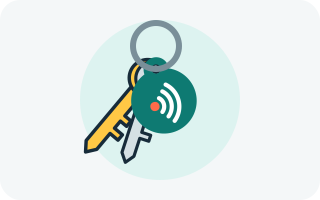
How a tag gets your keys back
-
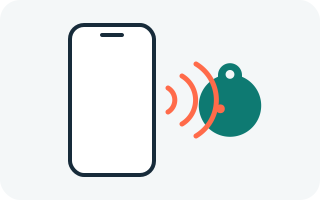
Someone finds your keys
They tap the tag with their phone or scan its QR code. No app needed.
-
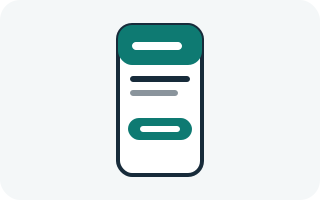
They see a simple label
Such as "House keys", and a button to message you. Never your address.
-
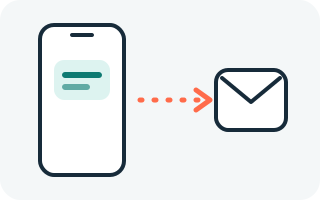
You get an email
With their message, and their details or location if they choose to share them.
Made to be found, not to follow
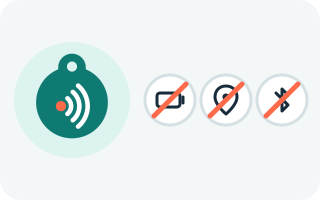
- Nothing to track. The tag has no battery, no GPS and no Bluetooth. It sends nothing until a phone is held right next to it.
- Nothing to hide in a pocket. A tag can't report where it is, so it can't be slipped into someone's bag or car to follow them.
- Nothing to charge or replace. No battery to go flat, so it works for as long as the tag itself lasts.
- Your details stay private. Finders never see your email or phone number. Messages come to you through TagSquad.
- Nothing to wear off. The QR code is engraved into the metal, not printed, so a scuffed keyring doesn't stop it working.
Want the full picture? See why TagSquad is different from Bluetooth trackers.
Tracker or tag: which one for keys?
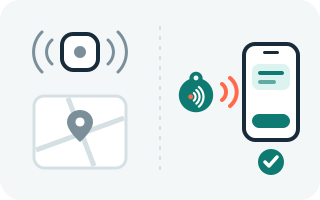
A Bluetooth tracker can show you where your keys are on a map. A TagSquad tag does something different: it lets an honest finder get your keys back to you. You can use both, but only the tag works for people who've never heard of it, because the finder needs no app and no account.
Where to put the tag
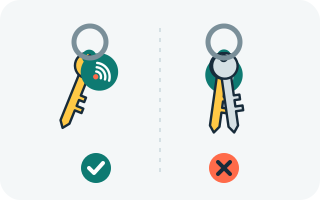
Fix it on the key ring, on the outside, where a finder will see it and can touch it with a phone. A tag sitting flat against metal can be harder to read, so let it hang free of the keys. If a phone can't tap it, the QR code on the tag always works. See the setup guide and phone compatibility.